How to Architect a Building Management System for High-Uptime Facilities
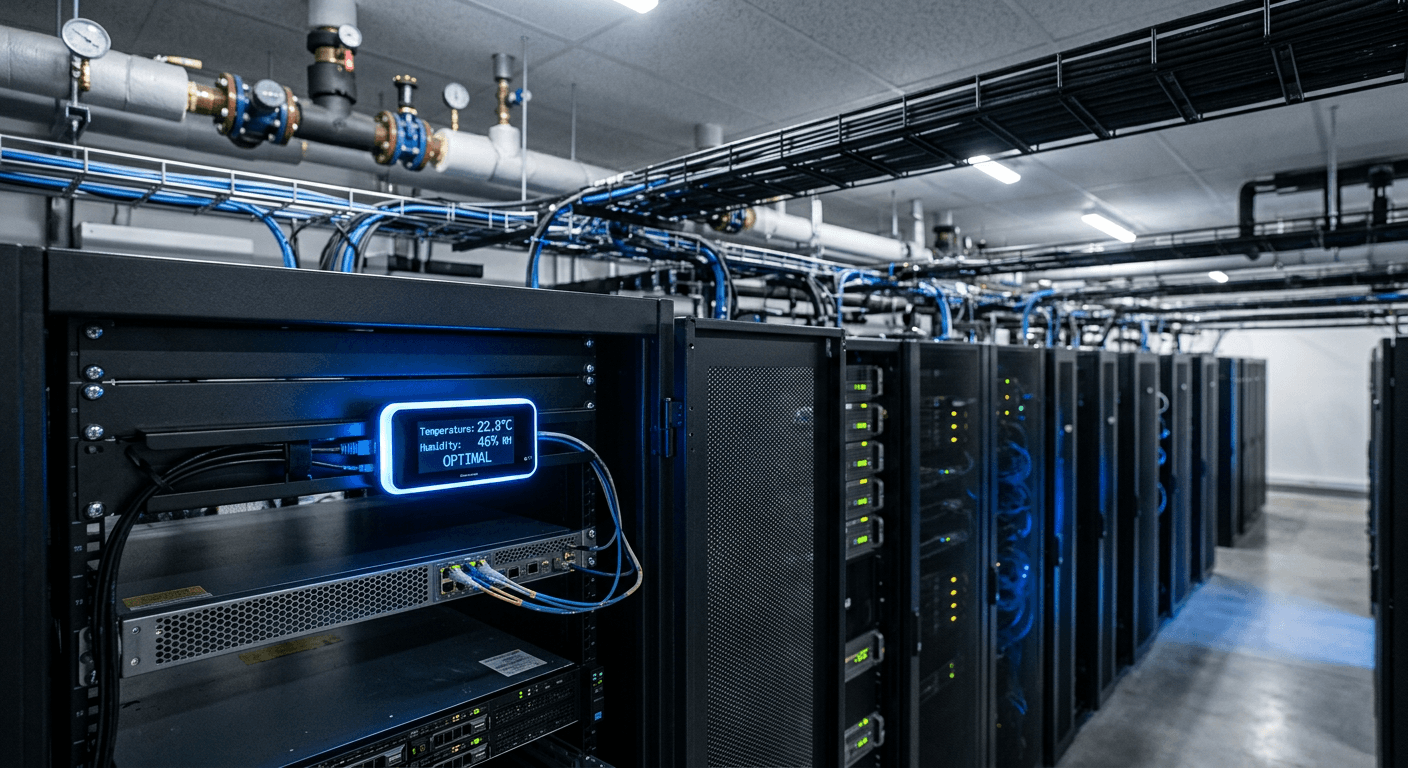
A common misconception among IT entrepreneurs and software startups is that facility control is entirely separate from network infrastructure - that regulating server room temperature is merely about turning a thermostat dial. In reality, a modern building management system relies on precision digital controls where a single misconfigured network switch can shut down a chilled water plant, sending server racks into thermal runaway within minutes. When a technology company operates physical hardware, the boundary between network latency and thermal management disappears. If you are prioritizing sub-50ms data routing but leaving environmental controls to a landlord's aging relays, your uptime guarantees remain fundamentally vulnerable to the physical world.
Quick Summary
A building management system is the centralized network of controllers, sensors, and software interfaces designed to regulate a facility's mechanical and electrical infrastructure. For high-uptime environments, it functions as the physical layer's operating system, ensuring critical thermal stability and power continuity.
- Map physical equipment limits before layering software controls to prevent hardware burnout.
- Deploy sensors directly at the heat source, never relying on room-level ambient readings.
- Standardize on open protocols like BACnet or Modbus to prevent vendor lock-in.
- Segment building automation traffic entirely from the primary enterprise network.
- Calibrate alarm thresholds to prevent alert fatigue during minor environmental fluctuations.
Table of Contents
- 1. Define the limits of the physical infrastructure
- 2. Deploy field-level controllers and sensors
- 3. Standardize the supervisory network protocols
- 4. Architect the physical security integration
- 5. Connect to cloud analytics and telemetry
- 6. Calibrate alarm thresholds and notification logic
- Common Pitfalls & Troubleshooting
- FAQ
- Recommended Reads
1. Define the limits of the physical infrastructure
Why hardware dictates software logic
Before routing a single network cable, you must quantify the physical capabilities of the mechanical plant. Automation software cannot conjure cooling capacity out of a compressor that is already operating at maximum load. You must map the exact tonnage of the HVAC units, the ampacity of the electrical panels, and the flow rates of the chilled water pumps.
The foundational mechanic of this step involves establishing the operational baseline. A central control system operates by manipulating analog actuators - partially opening a chilled water valve or ramping up a fan motor to increase circulation. If you do not know the physical consequences of those commands, the software will tear the hardware apart. Reviewing original building construction engineering documents is mandatory here to identify thermal zones, fire-rated barriers, and the static pressure limits in the ductwork.
The mistake practitioners make is attempting to force tight temperature tolerances on aging hardware. When an IT operator demands a constant 20°C in a server room, but the chiller plant was designed with a wide deadband for office comfort, the software will constantly command the chiller to start and stop. This short-cycling burns out the compressor motor within months. You must configure the software to respect the mechanical limits of the hardware it governs.
2. Deploy field-level controllers and sensors
Where sensor placement fails
The automation logic executing on your main server is entirely blind. It relies completely on the raw electrical resistance or voltage returning from field-level sensors. Deploying these sensors correctly is the difference between a facility that responds to heat loads and one that destroys its own equipment.
The mechanics involve installing transducers for temperature, humidity, static pressure, and electrical current, then terminating those lines at Direct Digital Control (DDC) panels. These DDC units sit in the mechanical rooms, taking analog readings and converting them into digital variables. They hold the local logic; if the network goes down, the DDC must know how to keep the air handler running safely on its own.
Practical rule: Always position environmental sensors at the exact elevation and airflow path of your most critical heat-generating equipment, never at ceiling height where stratified air corrupts the reading.
The most damaging mistake happens during installation when contractors place thermostats near supply air diffusers or next to uninsulated exterior walls. If a sensor sits in the direct path of the cold air dumping into the room, it tells the DDC the room is freezing. The controller immediately shuts the cooling valve. Meanwhile, the server racks on the other side of the room are overheating because the cold air never reached them. Sensor placement must measure the return air - the exhaust heat - to accurately judge the load of the space.
3. Standardize the supervisory network protocols
Preventing network saturation
Once the field controllers are digitizing physical data, that information must route to a centralized supervisory platform. This is where physical infrastructure becomes IT infrastructure. You are establishing the communication backbone that allows a variable frequency drive from one manufacturer to share data with a lighting panel from another.
The required mechanism is protocol standardization. The industry relies on open protocols like BACnet/IP or Modbus TCP. The DDC panels connect to local edge switches, routing traffic across a dedicated VLAN to the supervisory server. This segmentation is critical. Building automation traffic is notoriously noisy, heavily relying on broadcast packets to discover devices. While an external digital marketing team might leverage a high-speed AI-driven SEO platform for tech companies to automate web traffic, your internal facility network requires strict isolation to ensure local packet delivery is never delayed by enterprise network congestion.
The failure mode here is accepting proprietary vendor networks. Manufacturers will offer a complete vertical stack, promising seamless integration if you buy their specific network controllers and proprietary software. This creates immediate vendor lock-in. Five years later, when you need to integrate a new smart building application or swap out a failed boiler, you discover the primary network cannot speak to third-party equipment. Always mandate open protocols at the IP layer.
4. Architect the physical security integration
Building fail-safe access routines
Environmental control and physical access are fundamentally linked. A facility's security posture dictates occupancy, and occupancy dictates energy loads. Integrating access control with your environmental logic allows the facility to act pre-emptively rather than reactively, powering up spaces the moment personnel arrive.
The mechanics involve establishing a software bridge between the door controllers and the supervisory server. When an authorized badge swipes at the main entrance after hours, the system registers the occupancy state change. It instantly commands the Variable Air Volume (VAV) boxes in that specific sector to transition from their unoccupied temperature setbacks to active cooling, while bringing the corridor lighting up to full brightness.
The critical mistake is hardwiring security logic directly into the software without a localized hardware override. In an emergency, such as a fire alarm, the software cannot be the single point of failure governing egress doors. Practitioners sometimes route magnetic lock releases through the standard digital controllers. If the network switch drops, the doors freeze in their current state. Life safety overrides must remain analog and hardware-based. The fire alarm panel must physically cut the power to the door relays, bypassing the software entirely.
5. Connect to cloud analytics and telemetry
Structuring telemetry for the cloud
Local DDC logic is sufficient for keeping a building running, but optimizing long-term performance requires cloud analytics. Moving historical trend data into a scalable cloud environment allows you to apply machine learning models that predict equipment failures before a bearing actually seizes.
To achieve this, you configure an MQTT broker on the local supervisory server. This broker acts as a secure bridge, pushing outbound-only telemetry data up to a Google internet of things environment. Once the data lands in the cloud, you can run anomaly detection algorithms. The models analyze the relationship between outside air temperature, chilled water supply, and energy consumption across months, identifying subtle efficiency drops that a human operator would never notice on a daily dashboard.
The common mistake is treating the cloud connection like an unfiltered data dump. Engineers often configure the system to push every variable change instantly. When thousands of sensors transmit data every half-second across a WAN link, you saturate the bandwidth and generate massive cloud ingest costs for zero actionable insight. The fix is local aggregation. The local server must buffer the data, pushing averaged 15-minute intervals to the cloud, while retaining high-resolution data only for the ten minutes surrounding a triggered alarm.
6. Calibrate alarm thresholds and notification logic
Defeating alert fatigue
An automation system's value is directly tied to the trust operators place in its alarms. A dashboard that flashes red all day teaches engineers to ignore the screens entirely. Proper alarm calibration ensures that when a notification reaches a phone, it represents an actual emergency requiring immediate intervention.
The mechanics of calibration involve setting specific deadbands and time delays for every tracked variable. If a server room temperature limit is 24°C, the alarm should not trigger the moment a sensor reads 24.1°C. You program a delay, forcing the software to wait three minutes to see if the local DDC can mechanically correct the deviation on its own. Only if the temperature sustains the high reading does the supervisory server generate the alert.
The mistake operators make is flattening the notification hierarchy. They route all alarms - from a low-battery warning on a wireless space sensor to a total loss of chilled water pressure - into a single email inbox. The critical alerts get buried beneath a daily avalanche of maintenance noise. When a primary cooling pump fails at 2:00 AM, the on-call engineer misses it because their phone had already buzzed forty times that week for trivial filter warnings. You must separate critical life-safety and uptime alarms from routine maintenance flags.
Common Pitfalls & Troubleshooting
When managing facility automation, failures rarely look like mechanical breakdowns; they present as network anomalies or erratic behavior. Diagnosing them requires looking at the intersection of IT data flows and physical mechanics.
Network broadcast storms
The most frequent cause of system-wide unresponsiveness is a broadcast storm on the BACnet network. The symptom is unmistakable: the entire supervisory interface freezes, field controllers drop offline simultaneously, and the core switches show maximum traffic loads. This occurs because automation devices constantly shout across the subnet to locate each other. The fix is strictly segmenting the automation hardware into small, dedicated VLANs and configuring broadcast traffic limiting on your managed switches to prevent discovery packets from taking down the network.
Sensor calibration drift
Software logic is helpless against lying hardware. The symptom is a system that confidently reports a zone is at 20°C, while independent verification proves the room is 24°C and the mechanical cooling remains shut off. Thermistors degrade over time. The fix requires abandoning the software dashboard entirely. You must physically walk the space with a certified handheld psychrometer and apply calibration offsets in the DDC programming to true up the incoming analog readings.
Controller short-cycling
When mechanical relays audibly click on and off every few seconds, the equipment is short-cycling. This drastically shortens the lifespan of compressors and actuators. The symptom looks like a jittery graph on the trend logs. The fix is widening the proportional-integral-derivative (PID) loop parameters in the software. You must increase the deadband and slow down the integration time so the controller tolerates minor environmental fluctuations before demanding a physical mechanical response.
Overridden automation logic
Energy usage spikes inexplicably, and a zone blasts maximum cooling despite the schedule dictating an unoccupied, lights-out state. The symptom is a perfect mechanical plant completely ignoring its own energy-saving programming. The fix is auditing the command priorities within the system. Usually, an operator applied a manual override to force the cooling on during a maintenance window and never released it. Implement a global logic script that automatically strips all temporary operator overrides every night at midnight, returning control to the schedule.
FAQ
How long does a typical installation take?
Deploying a comprehensive automation network in an existing facility takes between three and six months. The software configuration is fast, but pulling low-voltage cabling to every VAV box, chiller, and security reader requires significant labor and physical ceiling access.
Can legacy HVAC equipment be integrated?
Yes. You do not need to replace aging mechanical equipment just to automate it. You install bridging DDC controllers that read the old analog signals - like a 0-10V current - and translate them into modern IP-based protocols that the central server can understand.
What separates SCADA from standard automation?
SCADA (Supervisory Control and Data Acquisition) is designed for high-speed industrial process control, like manufacturing lines or power grids, where millisecond reactions are required. Facility automation regulates the slower-moving environmental conditions (temperature, humidity, air pressure) of the building housing those processes.
Does cloud integration compromise physical security?
It does not, provided the architecture is correct. Cloud risk is mitigated by using outbound-only MQTT connections, meaning the cloud can read telemetry data but cannot push commands back down to the local controllers. The physical access control network must also remain strictly air-gapped from the environmental monitoring internet gateway.
Why does the dashboard report active cooling in empty zones?
This is usually a failure in the occupancy feedback loop. Either the physical motion sensor has failed closed, trapping the logic in an occupied state, or a relay within the local field controller has mechanically fused shut, forcing the cooling valve open regardless of what the software actually commands.