How to Build Scalable AI Apps with Google Cloud Platform Solutions
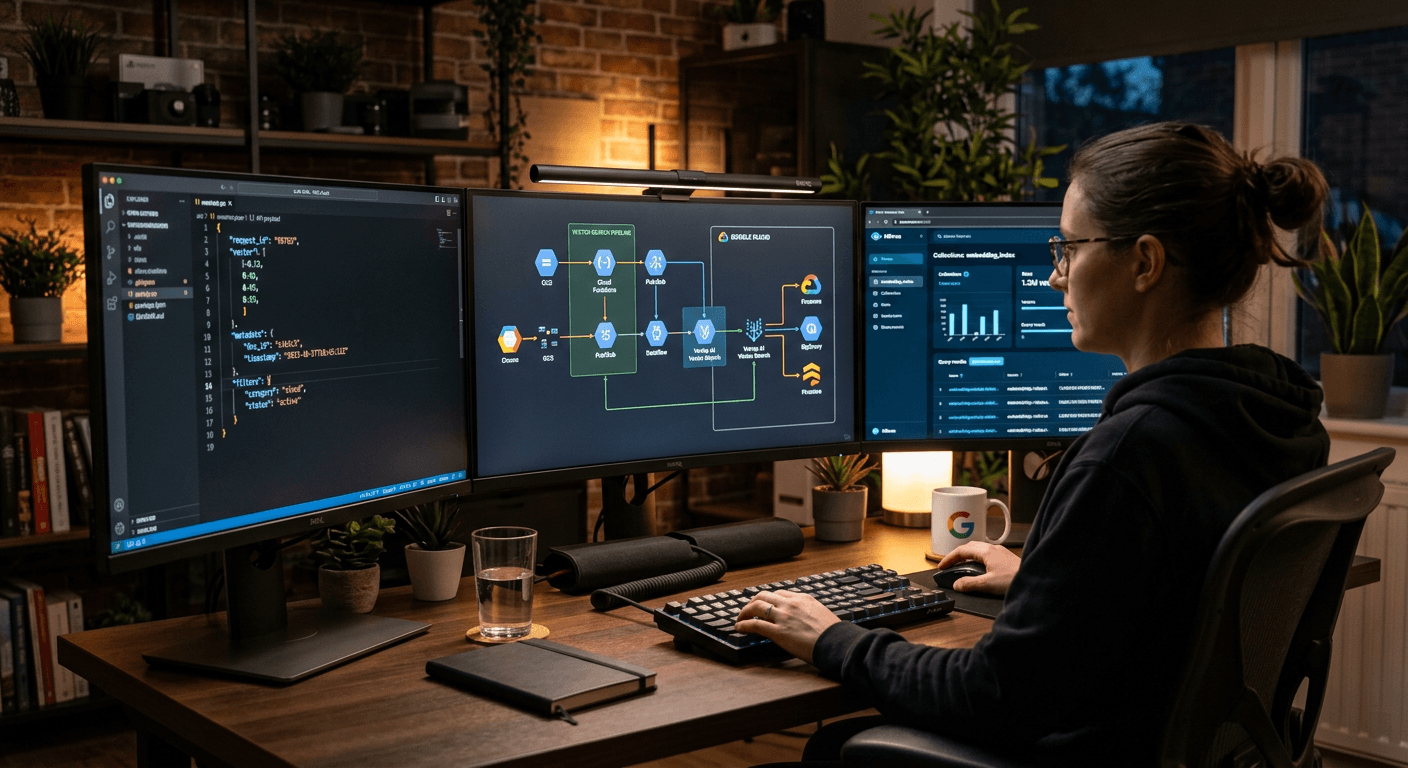
Many engineering teams begin their artificial intelligence journey assuming that building a production-ready AI application is as simple as wrapping a generic API key in a microservice. This assumption falls apart under heavy transactional load, latency spikes, or structural shifts in LLM payloads. Moving from a fragile prototype to an enterprise-grade engine requires robust google cloud platform solutions that manage model deployment, ingestion pipelines, and compliance natively. To succeed, technical architects must move beyond simple scripts and build modular, secure systems capable of handling millions of dynamic user requests without degradation.
Quick Summary
Building advanced AI-driven applications requires combining Google Cloud's enterprise infrastructure with Google AI's foundation models. By leveraging Google Cloud Platform solutions, developers transition from basic prompt engineering in Google AI Studio to production-grade deployment on Vertex AI, supported by structured developer education and security compliance.
- Modular Architecture: Separate LLM orchestration from core business logic using Vertex AI SDKs.
- Structured Outputs: Enforce strict JSON schemas at the API level to prevent application parser crashes.
- Upskilling & Community: Utilize official training tracks and local developer groups to master advanced vector database chunking strategies.
- Enterprise Security: Secure model endpoints inside private virtual networks to isolate sensitive data payloads.
Table of Contents
- Quick Summary
- 1. Architecting Google Cloud Platform Solutions
- 2. Prototyping with Google AI Studio
- 3. Deploying and Scaling via Vertex AI
- 4. Upskilling via Google Learning AI and Community Channels
- 5. Implementing RAG and Vertex AI Vector Search
- Common Pitfalls & Troubleshooting
- FAQ
- Recommended Reads
1. Architecting Google Cloud Platform Solutions
Decoupling orchestration from the foundation model library
Production systems must be built to survive rapid shifts in foundational model capabilities. If your core application logic directly calls a specific model API, you create tight coupling. This means that when a model version is deprecated or a faster alternative is released, your team must rewrite substantial portions of the codebase. Instead, architect your system with a clean abstraction layer. This design pattern ensures that the application core remains oblivious to which underlying model is processing the payload.
The mechanics of this architecture involve setting up an API gateway or an intermediary orchestration layer using Vertex AI SDKs. You should define abstract interfaces for prompt templates, output models, and system parameters. Implement local payload routing and retry mechanisms with exponential backoff on your server. This mitigates the impact of intermittent cloud latencies and API rate limits. Additionally, utilize Cloud Run or Google Kubernetes Engine (GKE) to deploy these lightweight orchestration microservices close to your databases.
The common mistake developers make here is directly importing third-party model libraries into frontend scripts or main controller files. This exposes model-specific properties - such as temperature, top-K, and specific system instructions - directly to the application layer. When APIs change, this bad practice causes widespread compile-time and runtime failures.
2. Prototyping with Google AI Studio
Transitioning from prompt testing to structured JSON schemas
Prototyping in a web interface is fast, but transitioning those prompts to production requires strict control over output structures. Traditional language model outputs are highly unpredictable. If your application expects a structured database record but receives a conversational wrapper like "Sure, here is your JSON:", the JSON parser will fail, crashing the application.
To prevent this, utilize Google AI Studio to define the baseline prompts and system instructions, but enforce the output structure programmatically. The Gemini API allows developers to pass an OpenAPI-compliant schema via the responseSchema configuration. This forces the model to return structured data matching your exact database models or API payloads without requiring complex, fragile string-parsing code.
Practical rule: Always enforce schema compliance at the API level using Gemini’s responseSchema parameter rather than relying on prompt-engineered JSON requests.
A common mistake here is depending on loose natural language prompt guidelines (such as "always format your response as JSON") to guarantee output structure. Under heavy production loads or when dealing with edge-case inputs, models frequently drift from prompt instructions. This drift results in broken UI elements and database validation exceptions.
3. Deploying and Scaling via Vertex AI
Scaling execution through custom endpoints and private networking
Enterprise workloads demand low-latency routing, high availability, and secure networking. When moving to production, models must be registered in the Vertex AI Model Registry and deployed to managed online prediction endpoints. This migration unlocks advanced scaling controls and private networking capabilities.
To build this securely, configure VPC (Virtual Private Cloud) peering between your application servers and Vertex AI. By routing model inference calls over Google’s private fiber network rather than the public internet, you significantly reduce transport latency and secure your payloads from interception. Enable auto-scaling on your prediction endpoints, setting minimum and maximum node counts based on metrics like CPU usage or queue depth to prevent resource starvation during sudden spikes.
A frequent failure mode is deploying client-facing software that directly calls AI endpoints using exposed API keys. This is where security teams struggle, particularly when integrating backend APIs with automated AI-driven content production and local search marketing systems to drive organic growth. Exposing API keys allows bad actors to hijack your quotas, driving up infrastructure costs and causing sudden service outages.
4. Upskilling via Google Learning AI and Community Channels
Bridging the developer knowledge gap through structured tracks
Artificial intelligence architectures introduce unique concepts such as vector math, contextual token limits, and prompt security vectors. Developers who attempt to learn these patterns through trial and error often build systems that suffer from massive latency and cost overruns. Relying on unstructured tutorials or fragmented code snippets results in fragile codebases.
To bridge this gap efficiently, technical leaders should guide their teams through the official google learning ai platform. Enrolling in a structured google ai course provides engineers with deep, production-tested knowledge of Vertex AI pipelines, prompt design, and data grounding. Combine this formal training with active participation in a local google developers group to exchange real-world debugging tactics with peers who have solved similar scaling issues in local markets.
A typical error is assuming that experienced software engineers can automatically write optimal AI code without formal training. This assumption often leads to terrible performance decisions, such as using un-optimized chunking sizes in retrieval pipelines or failing to implement proper semantic caching systems.
5. Implementing RAG and Vertex AI Vector Search
Minimizing retrieval latency with high-dimensional indexing
A language model's utility is limited by its training cutoff and its lack of access to private, real-time enterprise data. Retrieval-Augmented Generation (RAG) resolves this by fetching relevant internal data and feeding it to the model as context. However, executing slow database lookups during this process negates the user experience benefits of fast LLM generation.
To implement high-performance RAG, generate embeddings for your enterprise documents using the text-embedding-004 model. Store and index these high-dimensional vectors within Vertex AI Vector Search. This service is designed to perform approximate nearest neighbor (ANN) searches across millions of documents with sub-millisecond response times. Once the relevant document chunks are retrieved, pass them alongside the user query to the Gemini model to ground its response in actual data.
The primary mistake developers make here is trying to build search indexing using basic SQL text searches or in-memory vector libraries that do not scale. As database size grows, these systems experience geometric latency increases, leading to application timeouts and bad user experiences.
Common Pitfalls & Troubleshooting
When building and scaling google cloud solutions, developers face several silent failures. These issues often exhibit identical symptoms - such as slow load times or completely missing outputs - but stem from entirely different root causes.
1. The application times out or throws HTTP 504 Gateway errors during peak traffic hours
- Diagnosis: This symptom is usually caused by API rate limiting and quota exhaustion rather than a hosting server crash. If your application suddenly spikes in traffic, the Gemini API or Vertex AI endpoint drops requests because you have breached your project's default Requests Per Minute (RPM) limits.
- Fix: Implement a robust caching layer (like Redis) for duplicate queries, use asynchronous task queues (like Cloud Tasks) to buffer bursts, and request a quota increase through the Google Cloud Console before major launches.
2. The AI returns generic "I cannot help with that" messages for harmless inputs
- Diagnosis: This behavior is caused by overly aggressive safety settings. The default Google AI safety filters are designed to block sensitive content, but they frequently trigger false positives on completely benign industry terms or medical jargon.
- Fix: Access your API configuration and adjust the safety thresholds. Set specific categories (such as harassment or hate speech) to
BLOCK_MEDIUM_AND_ABOVEorBLOCK_ONLY_HIGHrather than keeping them at maximum sensitivity, and implement local string sanitizers to handle edge cases.
3. Server-to-server API latency exceeds five seconds for small payloads
- Diagnosis: This lag occurs when developers call the non-streaming prediction endpoint of a model, forcing the application server to wait until the entire token payload has been generated before sending any data back to the client.
- Fix: Migrate your code to use the streaming API (
generateContentStream). This allows your application server to process and render chunks of text in real-time as they are generated by the model, reducing perceived user latency down to milliseconds.
Out of these three, API rate-limiting quota exhaustion is almost always the real cause of silent, unpredictable application failures during initial launches.
FAQ
What is the primary difference between Google AI Studio and Vertex AI?
Google AI Studio is a fast, web-based prototyping environment meant for testing prompts and ideas. Vertex AI is Google’s enterprise-grade machine learning platform. You should use AI Studio to design your prompts and refine your schemas, but transition your code to Vertex AI when you need enterprise-level scaling, private networking (VPC peering), role-based access control (IAM), and compliance with strict data residency regulations.
How do I secure my AI API keys in production with google cloud solutions?
You should never expose raw API keys in client-side applications. In production, utilize Google Cloud’s IAM (Identity and Access Management) roles. Your application servers should authenticate using service accounts with narrow permissions. Store sensitive parameters inside Secret Manager and access them dynamically during container runtime, completely eliminating hardcoded credentials from your code repositories.
Can I fine-tune Gemini models using Vertex AI?
Yes. Vertex AI supports supervised fine-tuning (SFT) for Gemini models. You can upload labeled training datasets to Cloud Storage and run tuning pipelines directly inside Vertex AI. This allows you to customize the model's behavior, tone, and formatting for highly specialized tasks without adding excessive tokens to your system prompts.
How do I handle data privacy compliance when using these tools?
When using enterprise Vertex AI endpoints, Google does not use your customer data or inputs to train its foundation models. Ensure that you deploy your endpoints within specific regions (such as europe-west3 or europe-west9) to meet local data residency requirements, and configure private VPC connections so that data never leaves your secure cloud environment.
Recommended Reads
- RapidWombat Terms of Service - Comprehensive guidelines on using AI-driven search services.
- RapidWombat Privacy Policy - Details regarding how local data and secure user records are handled.