How to Master Microsoft Power Platform for Business Success
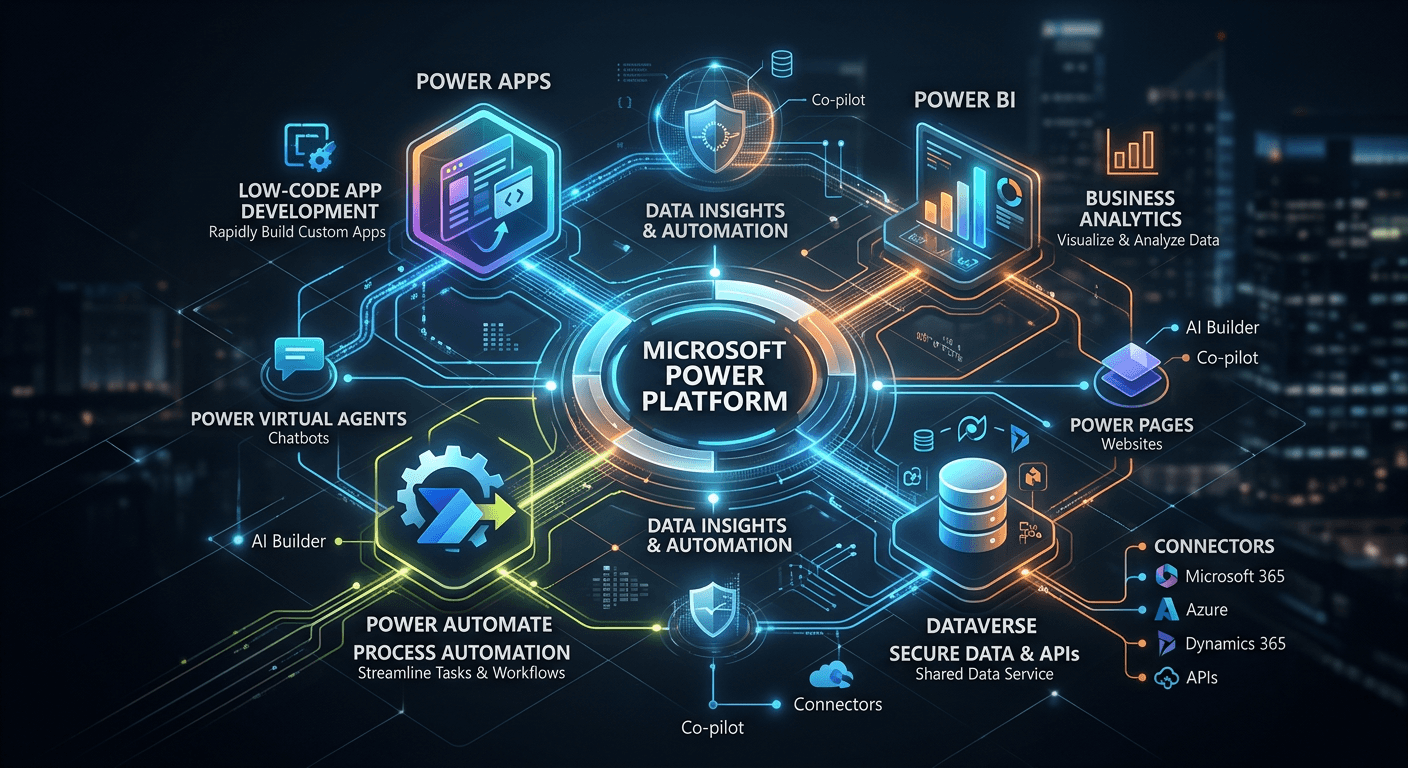
Mastering the Microsoft Power Platform is a strategic imperative for organizations aiming to bridge the gap between complex business requirements and agile digital execution. By leveraging a low-code ecosystem, technical leaders can streamline operations, automate legacy workflows, and drive data-driven decision-making across the enterprise without the overhead of traditional custom development cycles. This guide outlines the precise architectural and operational steps required to transition from ad-hoc tool usage to a robust, scalable application management framework.
Quick Summary
The Microsoft Power Platform is a unified suite of low-code tools designed to build custom business applications, automate workflows, and analyze data insights. Mastery requires a disciplined approach to governance, architecture, and integration with the broader Microsoft 365 and Azure environments to ensure security and organizational scalability.
- Standardize development through a Center of Excellence (CoE).
- Prioritize security using granular Data Loss Prevention (DLP) policies.
- Leverage professional-grade application management services for lifecycle maintenance.
- Enable citizen developers while maintaining IT oversight.
Table of Contents
- Quick Summary
- Establishing Governance and Security Frameworks
- Designing Scalable Power Apps Architectures
- Automating Business Logic with Advanced Integration
- Lifecycle and Application Management Services
- Common Pitfalls and Troubleshooting
- Frequently Asked Questions
- Recommended Reads

Establishing Governance and Security Frameworks
Governance is the bedrock of a successful Power Platform implementation. Without a structured approach, organizations often face "shadow IT" risks, where unauthorized apps propagate sensitive company data across unmanaged environments. Start by establishing a Center of Excellence (CoE) to define standards for app creation, naming conventions, and data usage. By utilizing the official guidance from the platform architects, teams can ensure that environment strategies align with internal security policies.
Data Loss Prevention (DLP) policies are your primary mechanism for controlling how data moves between connectors. Configure these policies at the environment level to segment data into "Business" and "Non-Business" buckets, effectively preventing the accidental leakage of sensitive records to personal social media or unapproved third-party services. Regularly auditing these policies using the Power Platform admin center is non-negotiable for maintaining compliance and securing enterprise data integrity.
Designing Scalable Power Apps Architectures
Prioritizing Canvas vs. Model-Driven Apps
Choosing the right app type is critical for long-term maintainability. Canvas apps offer pixel-perfect design flexibility for task-specific interfaces, while model-driven apps leverage the Dataverse to provide structured, data-centric views that scale effectively with complex relational databases. For enterprise applications requiring deep entity management, model-driven apps should be the default choice as they require less UI maintenance and automatically inherit data security models.
Dataverse and Relationship Modeling
Move beyond SharePoint lists for data storage when building enterprise-grade applications. Microsoft Dataverse provides a structured, secure, and relational environment that supports complex data types, business rules, and server-side logic. When designing your schema, normalize your data structures to minimize redundancy, which directly impacts the performance of your Power Apps and report generation times in Power BI.
Pro Tip: Always use Solution-aware objects. By keeping your components within a Solution, you enable environment migration, version control, and standard deployment pipelines, preventing the "lost-work" scenario common in unmanaged development.
Automating Business Logic with Advanced Integration
Automation within the Power Platform relies on Power Automate to bridge the gap between disparate systems. To master this, shift from simple UI-based flows to API-driven logic. Utilize HTTP connectors to communicate with internal or external REST services securely, bypassing the limitations of standard connector triggers. This level of technical depth allows for more complex error handling and retry mechanisms which are essential for mission-critical processes.
When standard connectors fall short, integrating custom apps script equivalents through Azure Functions provides an extensible path. By wrapping specialized business logic in an Azure Function and exposing it via a custom connector, you maintain the ease of use within the Power Platform while leveraging the raw computational power and security of the Azure cloud. This hybrid approach ensures that your automation logic remains centralized and easily testable.
Lifecycle and Application Management Services
Effective application management services require an ALM (Application Lifecycle Management) strategy that spans development, testing, and production environments. Implementing Azure DevOps or GitHub pipelines allows for automated builds and deployments of your solutions. This eliminates manual imports and exports, reducing the risk of configuration drift between your development sandbox and the production tenant.
Monitoring performance is an ongoing process rather than a one-time setup. Utilize the Power Platform monitoring tools to track app telemetry and flow failure rates. By analyzing this usage data, you can identify high-traffic apps that require performance optimization or re-architecting. A proactive maintenance cycle ensures that your digital assets remain stable as the underlying platform APIs evolve.
Common Pitfalls and Troubleshooting
- Over-reliance on personal accounts: Always develop within organizational environments. Personal environments lack the administrative oversight needed for enterprise security, often leading to data loss when employees leave.
- Performance bottlenecks: Avoid "Delegation" issues by ensuring your data queries are handled server-side. If your app retrieves 2,000 records but filters them client-side, it will significantly degrade user experience. Use Dataverse-native filtering to keep operations performant.
- Poor Documentation: Failure to document custom connector schemas or flow logic often leads to high technical debt. Treat your low-code apps with the same rigour as traditional software development, including versioning and change logs.
Frequently Asked Questions
How does the Power Platform differ from traditional coding?
Power Platform uses a low-code abstraction layer that allows users to build functional software faster. While it requires less syntax-heavy coding, it still demands knowledge of data modeling, logic flow, and security architecture.
Can I integrate external legacy databases with Power Platform?
Yes, using Data Gateways or secure custom connectors, you can bridge the gap between on-premises legacy systems and the cloud-native Power Platform environment.
What is the role of a Citizen Developer?
A citizen developer is a business user empowered to create solutions for their own immediate needs. The role of IT is to provide the guardrails and environment, ensuring their apps are secure and compliant.
Is the Power Platform secure enough for sensitive data?
Yes, when configured with correct DLP policies, Dataverse security roles, and Azure Active Directory integration, it meets rigorous enterprise compliance and security standards.