Optimizing Scalable Computing with Platform as a Service in 2026
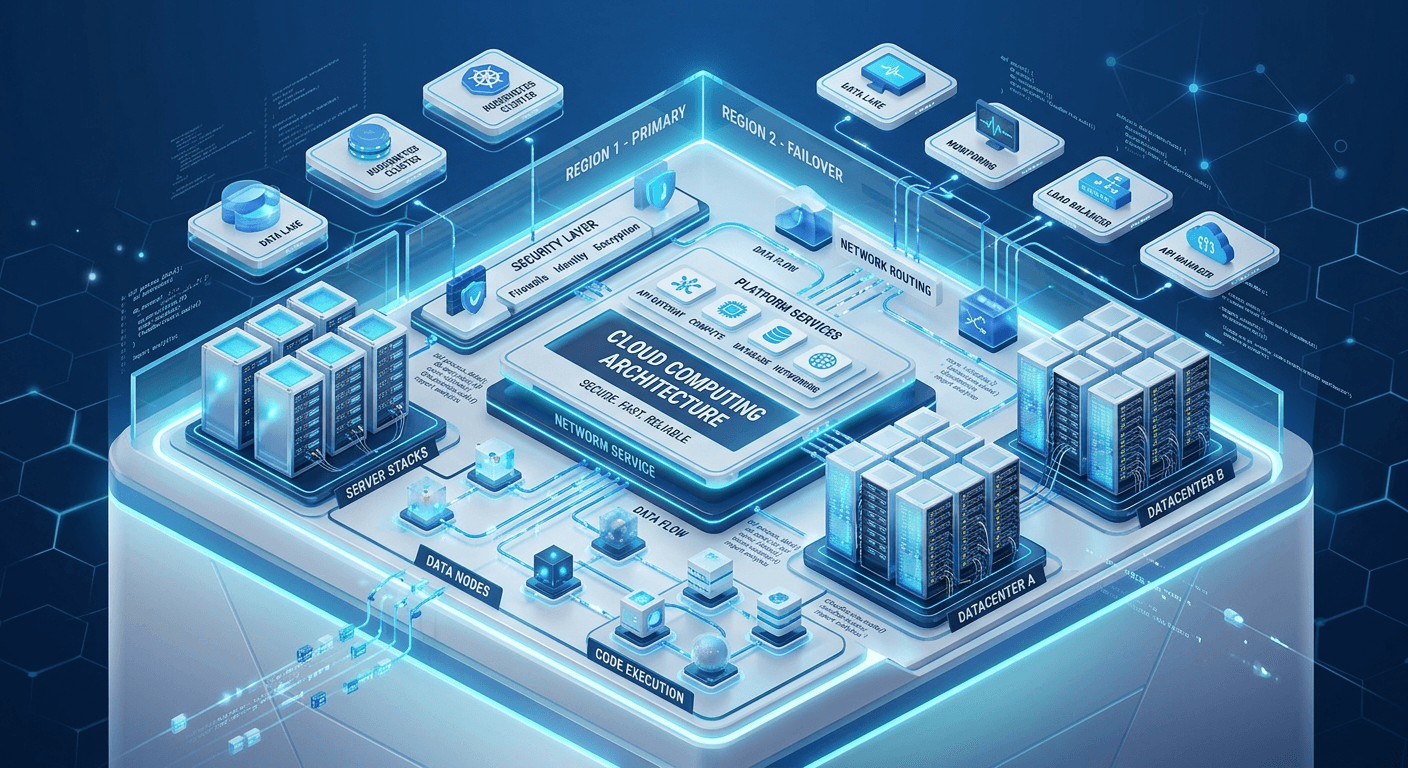
Modern digital architecture relies heavily on abstraction layers that decouple application development from the complexities of underlying infrastructure. Utilizing a platform as a service model enables organizations to focus exclusively on code deployment and business logic while offloading the burdens of hardware provisioning, OS maintenance, and capacity planning. This shift is essential for businesses seeking to maintain high-speed local infrastructure and ensure 99.99% uptime for their end users.
Quick Summary
Platform as a service (PaaS) is a cloud computing model that provides a hardware and software framework for developers to build, test, and deploy applications. It eliminates the need for manual server management, enabling rapid scaling and efficient resource allocation in high-traffic environments.
- Streamlines the CI/CD pipeline for faster releases.
- Provides automated resource scaling to match demand spikes.
- Reduces operational overhead and infrastructure maintenance costs.
- Ensures high availability through managed redundancy and load balancing.
Table of Contents
- Understanding Platform as a Service
- Core Benefits of Cloud Platform as a Service
- Architectural Advantages of PaaS in Cloud Computing
- Implementing Platform as a Service Cloud Computing
- Comparison Table of Deployment Models
- Operational Challenges and Mitigation
- FAQ
- Recommended Reads
Understanding Platform as a Service
Platform as a service represents a middle ground between Infrastructure as a Service (IaaS) and Software as a Service (SaaS). By providing a ready-to-use development environment, it allows engineering teams to bypass the time-consuming tasks associated with server configuration. When you utilize a robust platform as a service, the provider manages the operating system, middleware, and runtime environments. This allows developers to focus on iterating their products without worrying about the underlying physical servers or virtual machine patches.
For businesses focused on scaling their digital footprint, the ability to deploy applications without managing hardware is a significant competitive advantage. Because the platform abstracts away the infrastructure, teams can rotate through development cycles much faster. This model is particularly effective for teams that need to maintain strict security and data compliance while ensuring their applications remain performant under varying loads.
Core Benefits of Cloud Platform as a Service
The primary appeal of cloud platform as a service lies in its elasticity. Unlike traditional on-premises setups where hardware must be purchased for peak usage, cloud-based platforms automatically expand or shrink resources based on real-time traffic data. This ensures that application performance remains consistent even during sudden surges in user engagement, which is critical for e-commerce and high-traffic tech platforms.
Beyond scalability, these platforms facilitate global collaboration. Because the environment is accessed via the cloud, teams located across different geographies can work on the same codebase simultaneously without syncing local environments. This level of synchronization is supported by cloud infrastructure that offers low-latency connections, essential for businesses needing sub-50ms responsiveness to retain user interest and improve search visibility.
Architectural Advantages of PaaS in Cloud Computing
When adopting platform as a service in cloud computing, architects can design applications to be cloud-native from day one. This means leveraging built-in tools for load balancing, automated backups, and database clustering that are typically pre-integrated into the platform. By utilizing these native features, engineers reduce the risk of configuration errors that often plague manual infrastructure setups.
Pro Tip: When selecting a PaaS provider, prioritize those that offer integrated CI/CD pipelines and automated testing suites. This integration ensures that every line of code pushed to production is validated against security protocols, reducing the risk of downtime and maintaining the platform's reliability.
Implementing Platform as a Service Cloud Computing
Implementing a PaaS solution requires a transition from traditional server-centric mindsets to application-centric workflows. Organizations should begin by containerizing their applications, which allows for seamless portability across different cloud environments. Once applications are containerized, the platform handles the orchestration, networking, and security of these containers.
Security is a paramount concern when moving to the cloud. Modern platforms offer SOC2 Type II compliance and real-time security monitoring to protect against common vulnerabilities. By leveraging the security features provided by the platform, startups and agencies can achieve a level of protection that would be prohibitively expensive to build and maintain in-house using traditional IT resources.
Comparison Table of Deployment Models
| Feature | Infrastructure as a Service (IaaS) | Platform as a Service (PaaS) | Software as a Service (SaaS) |
|---|---|---|---|
| Control | Full control over hardware/OS | Limited to app/runtime | No control; end-user focus |
| Management | User manages OS and patches | Provider manages OS and runtime | Provider manages everything |
| Scalability | Manual or custom scripting | Automated scaling | Provider handled |
| Best For | Custom enterprise infrastructure | Developers and startups | Business end-users |
Operational Challenges and Mitigation
Despite the clear advantages, vendors lock-in and cost management are frequent concerns. To mitigate vendor lock-in, developers should use standardized tools and open-source frameworks that can run on any major cloud provider. This ensures that even if a business needs to migrate its stack, the architectural changes remain minimal.
Regarding costs, while PaaS is generally more efficient than traditional monthly marketing and infrastructure expenses, it can grow if resource usage is not monitored. Implementing proper usage tracking and setting alerts for resource limits helps keep costs predictable. The goal is to optimize for efficiency, ensuring that you only pay for the capacity that provides direct value to your users.
FAQ
-
How does PaaS differ from IaaS? IaaS provides raw compute and storage power, leaving you to manage operating systems and security patches. PaaS provides a managed runtime environment, removing the burden of OS management.
-
Is PaaS suitable for all types of applications? While highly flexible, legacy applications with complex physical hardware requirements may require refactoring before they can successfully run in a PaaS environment.
-
Does PaaS provide sufficient security? Yes, most enterprise-grade PaaS providers offer SOC2 compliance, encrypted data storage, and automated security monitoring to protect your infrastructure.
-
How does PaaS affect scaling? PaaS enables horizontal and vertical auto-scaling, allowing your application to automatically adjust compute resources to accommodate traffic spikes without manual intervention.